
How a free asset pack shaped my game's character creation
Character creation is really something else.
You can spend hours tweaking your Sims, spend fortunes on Fortnite skins, or feel a little spark of joy seeing your Mii appear in the crowd on Mario Kart.
There is something particularly pleasant about making an avatar your own. And this is especially true in a multiplayer world: everyone wants to play a character that looks like them and looks absolutely awesome.
I've always loved that, so naturally, I wanted to replicate that magic in my own MMO. Here is how I went about it.
Want to know more about my MMO?
I’ll always remember the sense of wonder I felt taking the boat from Tel’drassil to Stormwind for the first time. Ever since, I’ve been fascinated by multiplayer open worlds and how rea... Read more
Mr. Potato Head
Actually, I lied a little. Truth be told, this character creation project started long before I launched into the creation of my MMO. At that time, back in 2021, I was just starting to touch Blender. I decided to use an asset pack for the characters.
Problem: I had a lot of trouble finding a pack that was suitable and royalty-free.
I finally decided on Quaternius's character pack. Models with a very nice look, quite numerous, but not at all modular. That is to say, each character is a single piece: you have a knight, a viking, a wizard, etc.
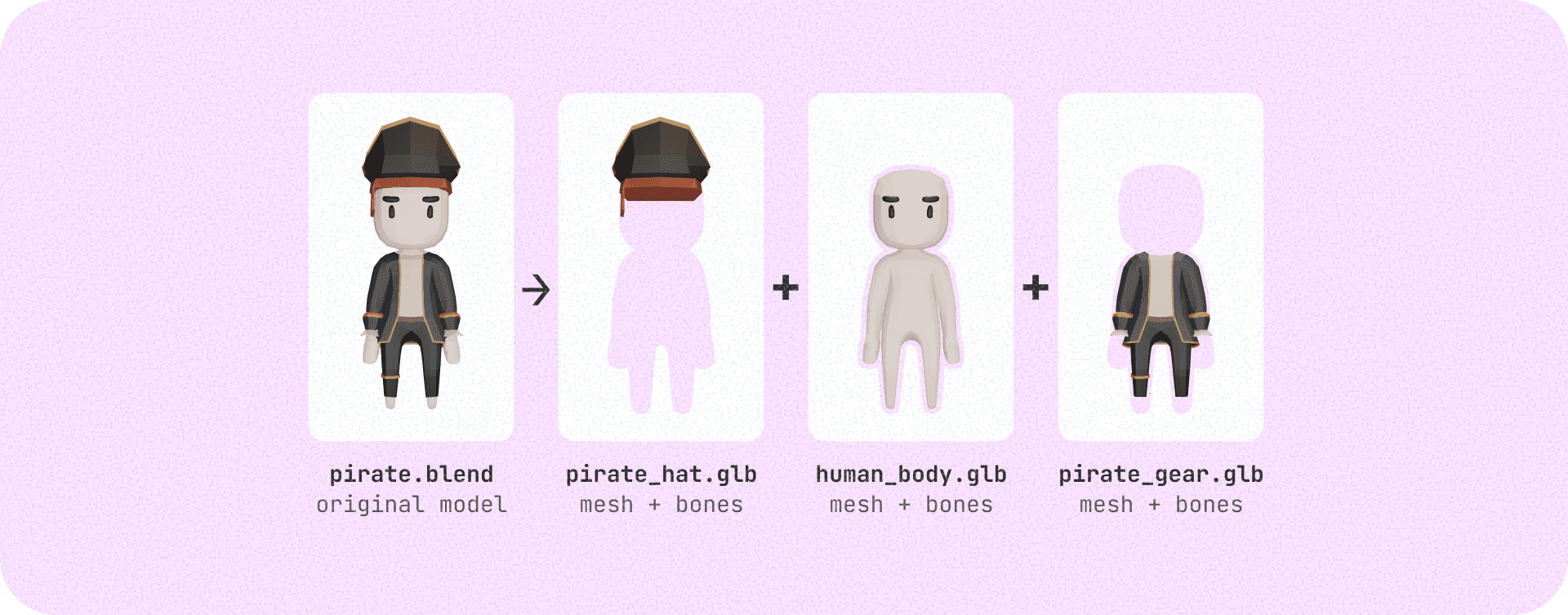
I wanted to be able to equip the knight's armor, the viking's hair, and the wizard's hat at the same time, for example. So everything had to be cut up. For that, I went through Blender and manually split the fifty models.
I separated them into four pieces:
- Head (the hat or helmet)
- Hair (hairstyles)
- Body (bodies, like goblin, human...)
- Gear (outfits)
I also modeled some additional choices myself, like the elf body. Important nuance: I kept the skeleton in each of my exports, but I excluded the animation data to save space. I then optimized the exports with Draco, a compressor for GLB 3D models that allows them to load faster on the frontend (as a reminder, my MMO runs in the browser, so I always have an eye on bandwidth).
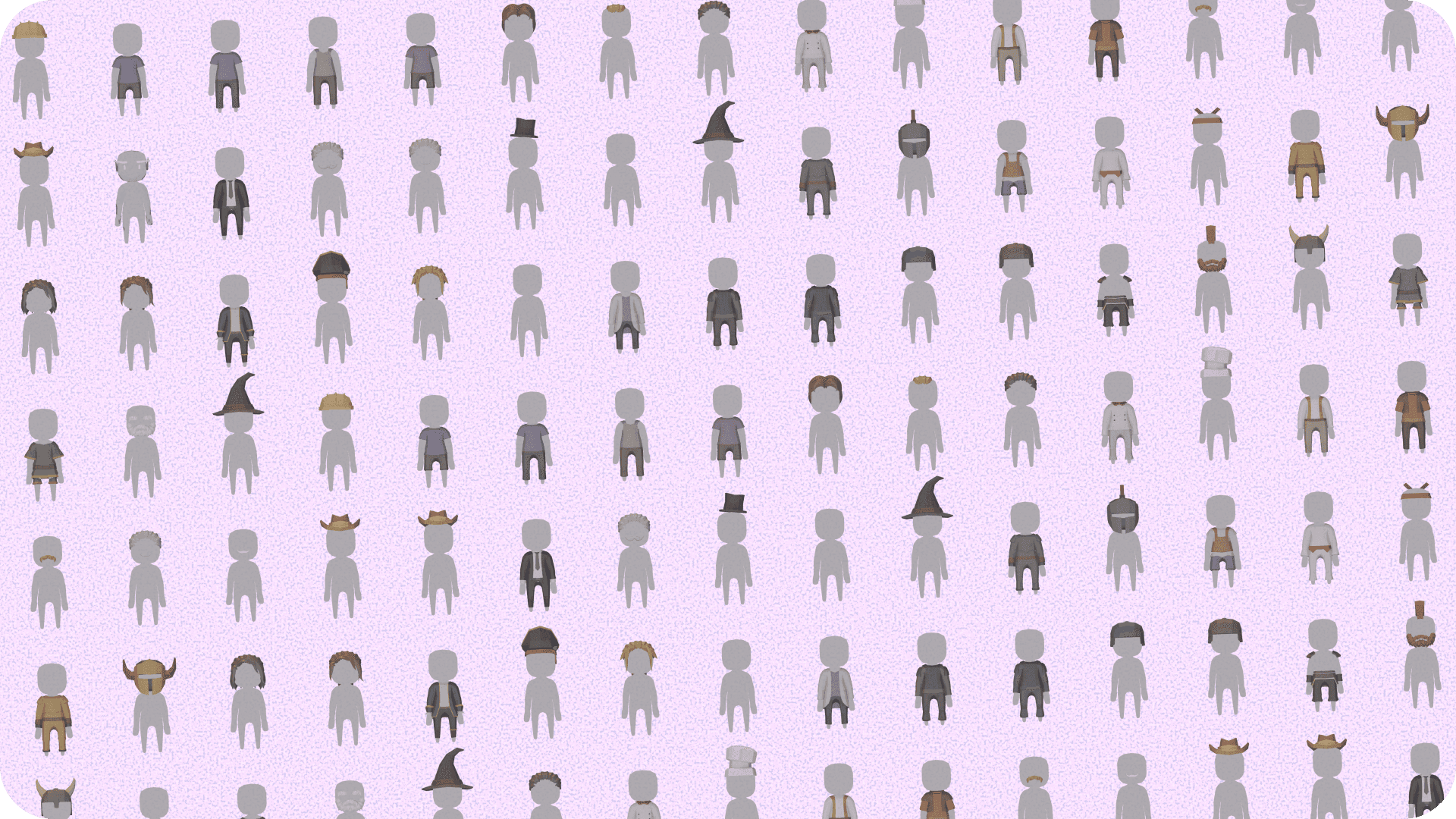
Once this step was completed, I created a Python script for Blender that allowed me to export images of each model. The script displays the models one by one, positioned over a uniform gray silhouette in a well-lit scene, then exports them on a transparent background. These images serve as thumbnails for the character creation menu. In case of changes or additions, the script allows me to re-export everything in a few minutes with a single click.
One rig to rule them all
Alright, all the models are ready! Now, we need to successfully assemble them on the frontend. For everything related to 3D display on the frontend, I use with . I'll skip the details, but I quickly reached a stage where the character's equipment is saved in the backend, and then each selected equipment piece model is loaded on the frontend.
Now for the heart of the problem: how to synchronize all these models and apply an animation to them? Yes, we now have four overlapping models, but they are totally static.
And on top of that, we don't even have animations because we excluded them from the exports! Don't panic, the solution is right there: the ghost body. The ghost body is the very first model the client loads.
In fact, you've already seen it; it's the famous gray silhouette you see in the thumbnails. This model is very simple and very light, and it serves two purposes:
- Placeholder: it is displayed while waiting for the character's equipment pieces to all load
- Animation bank: it contains both the skeleton AND all the animations
As long as the ghost body isn't loaded, the client displays a loader. And once loaded, it can be reused for all players.
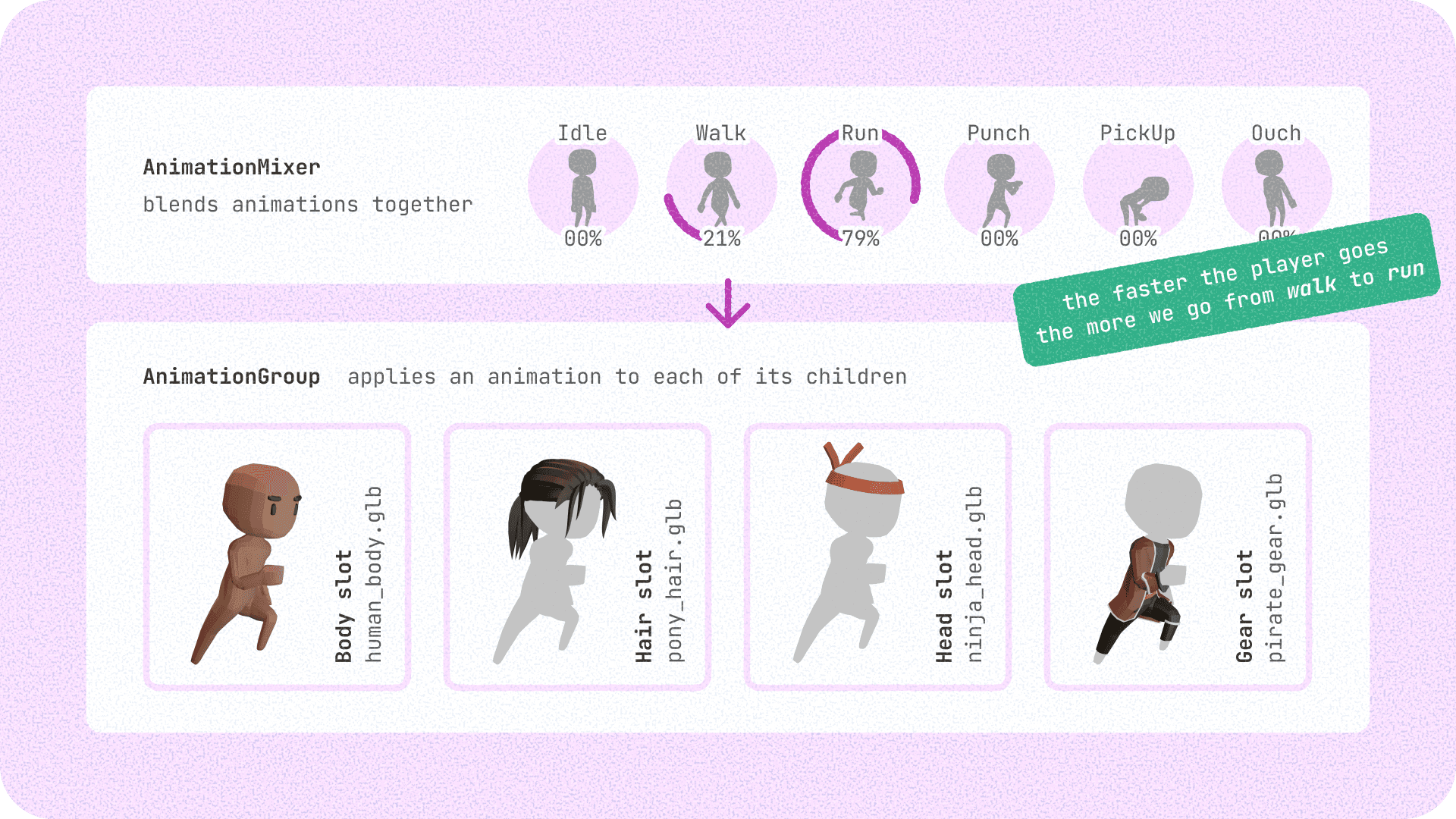
Then, we inject its animations into an (see diagram above).
We use this mixer to make progressive transitions between player states (for example, the faster the player accelerates, the more we move from the walk to run animation).
Finally, we apply this mixer to an . This group has as children the 4 models that make up the character: body, hair, hat, equipment. It allows distributing the animation to all its children, provided that their skeletons are identical (especially that the bones have the same names).
This system is very efficient: it reduces the CPU load by pooling the interpolation calculations (a single mixer instance for the whole group) and guarantees perfect synchronization. Handy when you want to display dozens of characters on the screen (it is an MMO, after all).
For those who aren't afraid of hurting their eyes, this is what V1 of the character creation looked like back then.
Fifty Shades of Gear
Let's do a quick calculation. We have 3 bodies × 12 hairstyles × 12 hats × 16 outfits = 6912 possible character combinations!
That's already a good start. But why stop there?
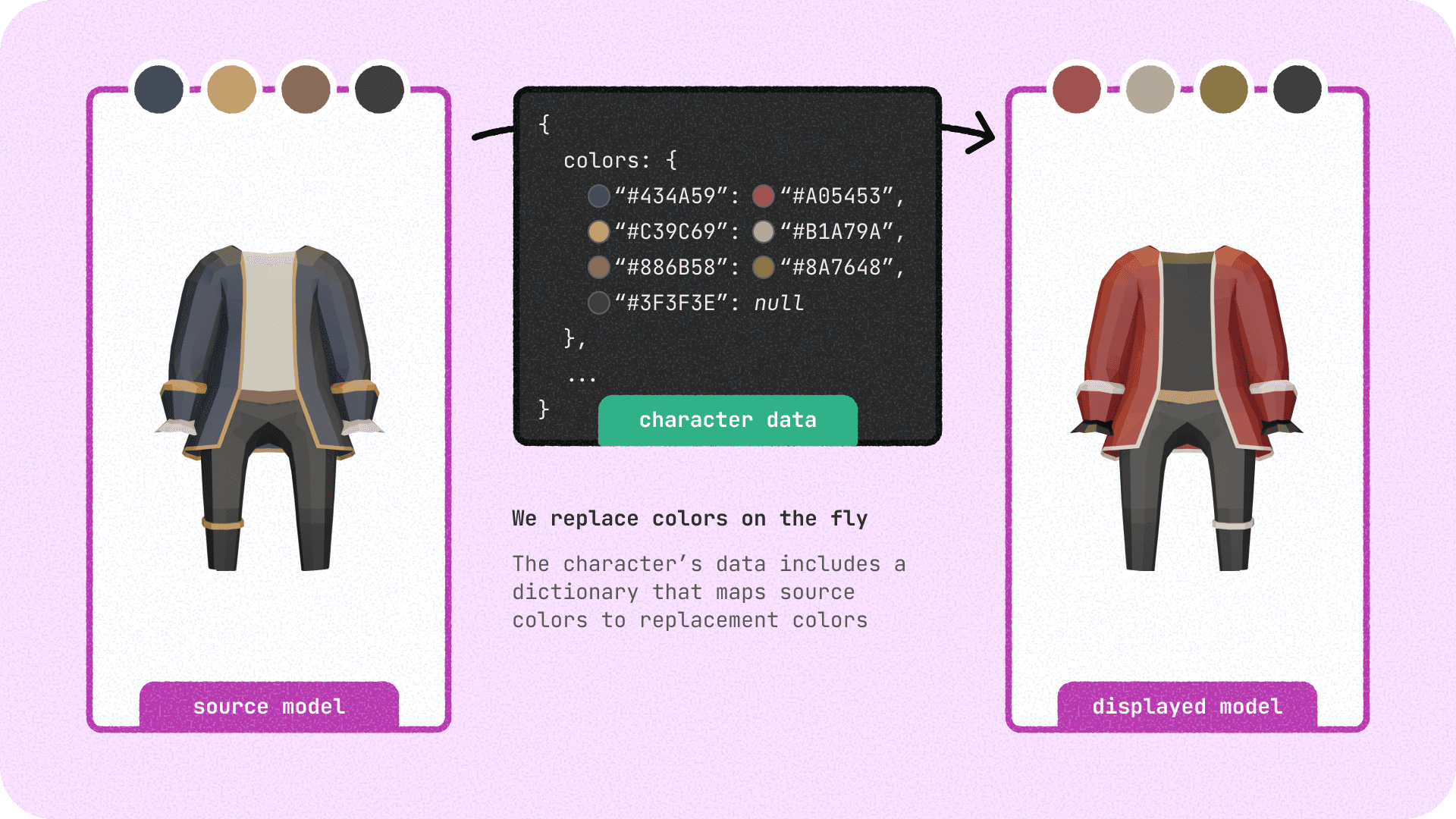
By allowing each piece of equipment to be colored according to the player's preferences, we suddenly move to an infinite number of possible combinations! And it was quite simple to set up. I defined a color dictionary on the frontend. It allows mapping the original colors present in the model's materials (see diagram) to new colors selected by the player. The replacement takes place directly when loading the 3D model. The code loops through the materials, identifies the target colors by their hex code, and replaces them on the fly before they even appear on the screen.
In the long run, this opens up cool gameplay perspectives. I would love to implement a dye unlock system (similar to dyes in many current MMORPGs). Players could thus earn or craft rare colors to show off their progress and create truly unique outfits.
A Shadow on the Screen?
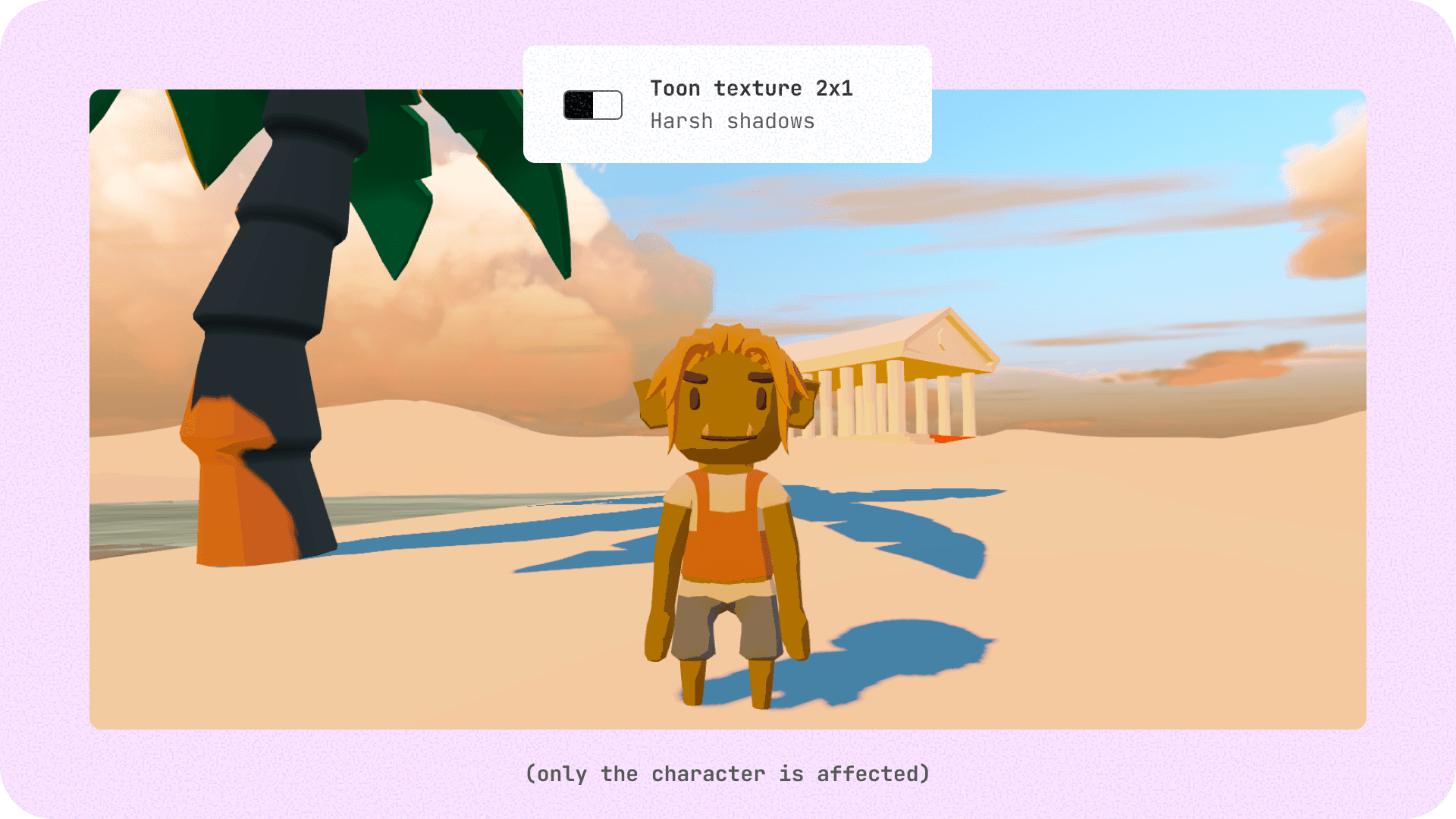
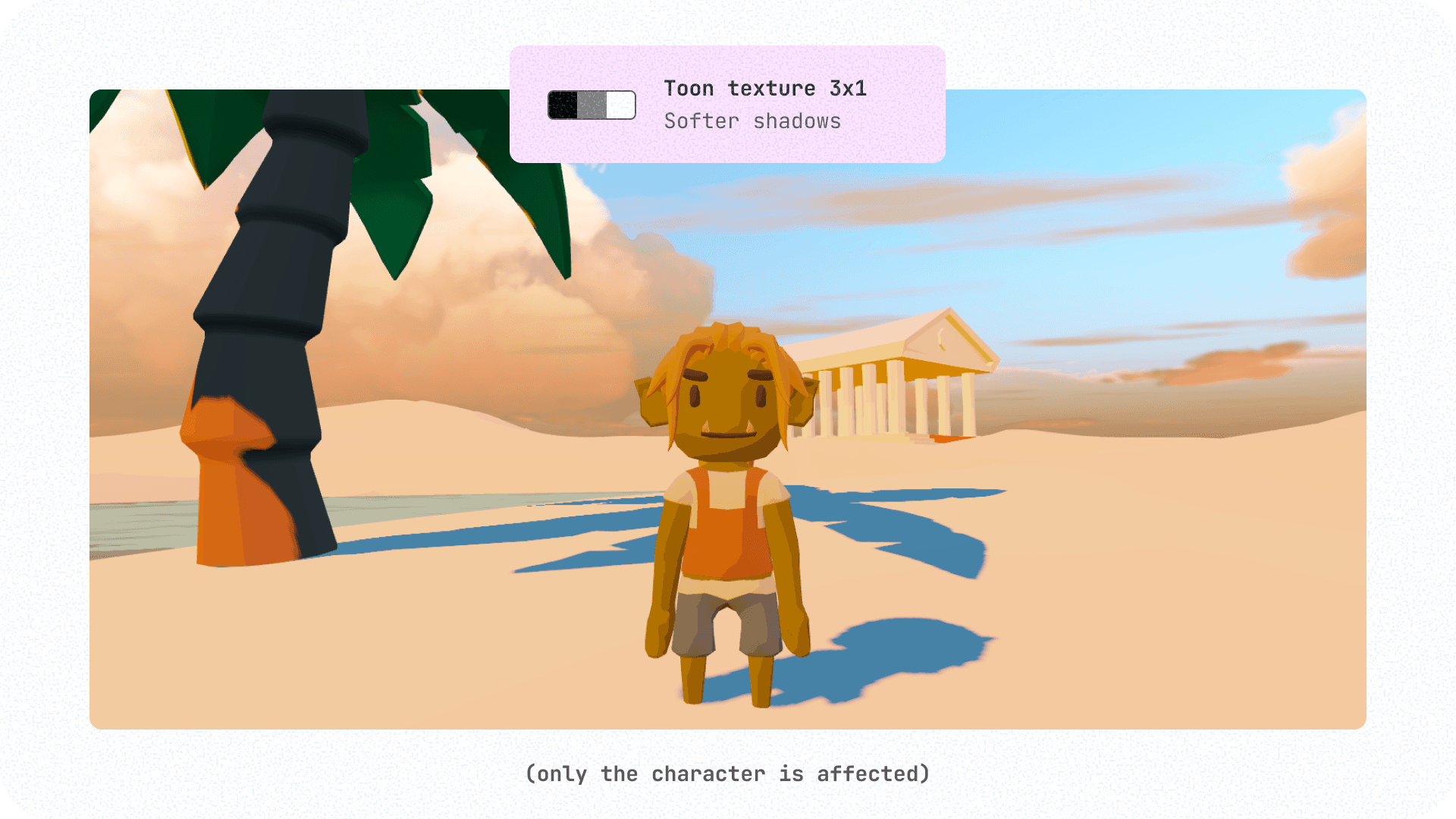
Although the very geometric (low-poly) style of the original models is full of charm, I found it a bit too angular, not "soft" enough.
I finally found what I was looking for with shaders. ThreeJS offers a built-in meshToonMaterial which is very handy for drawing sharp shadows (cell-shading style). However, its default behavior generally relies on a gradient texture with only 2 shadow levels (2x1 px), which accentuates the raw low-poly appearance.
I tweaked and extended the ThreeJS shader so it handles a more nuanced shadow mask (with a 3x1 px texture), which gives a softer and more harmonious rendering without adding a single polygon. For this to work well, I had to ensure that the model normals were correctly oriented (meaning they all point outward from the model).
Final Word
By the way, just for the anecdote... Remember Quaternius, the original creator of the 3D assets? I sent him a small demo video of my project, explaining all the splitting I had put his knights through. He replied that he found the result super cool, and dropped in passing that he might make modular character models in the future (instead of "one-block" characters).
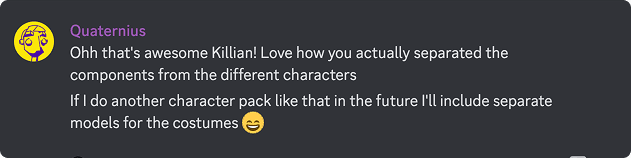
Today, his new packs are all designed to be modular and assembled piece by piece, and I like to think that I might have had a small role to play in that!
That's all for today. I'm quite happy with this character creation, even if I already see some possible improvements (maybe for a future article).
Don't hesitate to leave a little comment!
Want to know more about my MMO?
I’ll always remember the sense of wonder I felt taking the boat from Tel’drassil to Stormwind for the first time. Ever since, I’ve been fascinated by multiplayer open worlds and how rea... Read more